|
Main
Email
Photos
|
Matthewsfarm.com
Tuesday, September 07, 2004
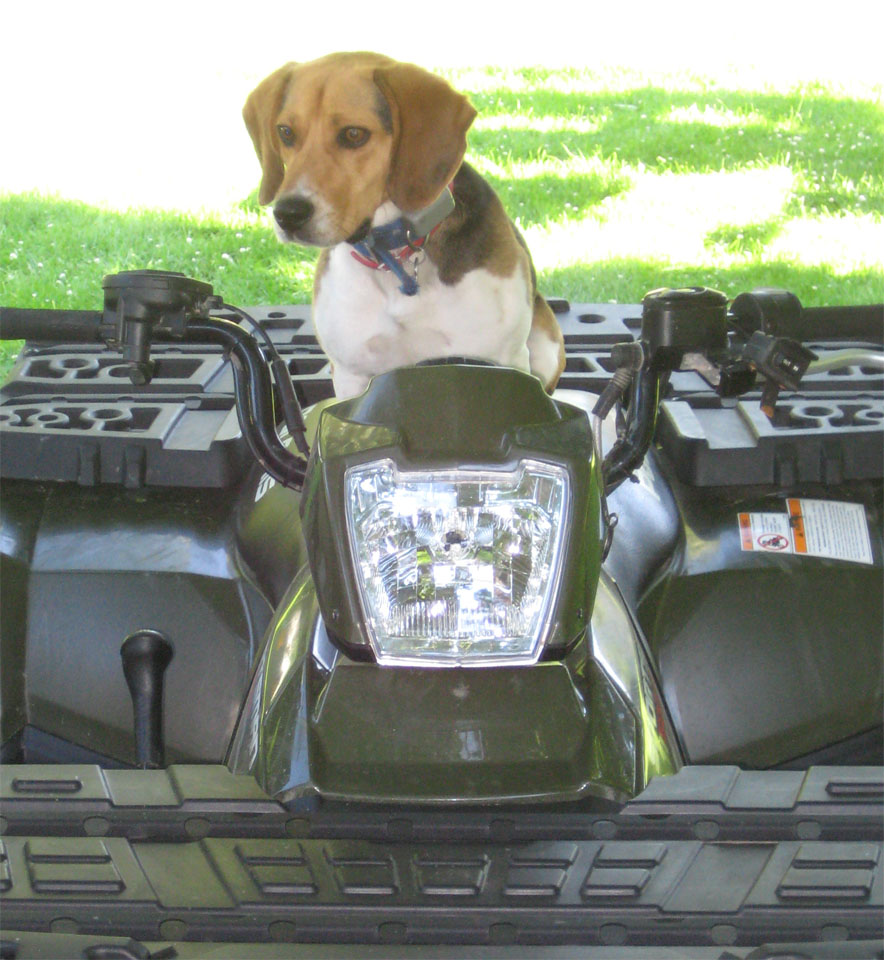
Here's a picture I took of Remington when I was home on vacation, he's in full racing beagle mode

Saturday, May 01, 2004
I took a bunch of wildflower pictures today. Also ran across two box turtles in the woods. If the pictures turn out, you can expect them in the gallery sometime in the near future
Sunday, November 23, 2003
OK, the move to the new servers is complete. Along with what should be better preformance, I upgraded to the latest version of Gallery. This version supports registration (without me doing it for you), so you can set up your own accounts and upload photos. The below link to the photo gallery will take you there.
Sunday, November 16, 2003
The hosting providor I use is switching servers around, I'm going to schedule the site to be moved sometime this week. Check your email and make sure you download it all, because that's the only data that isn't moved from the old server to the new.
Friday, October 03, 2003
I added a photo gallery to the site, it should be working now. If you want to post pictures, send me an email and I'll set up an account for you.
Photo Gallery
Tuesday, September 09, 2003
Changing your email settings
Mozilla
To add another mail account:
1) Click on Edit --> Mail and Newsgroup Account Settings 2) Click the "Add Account" button 3) Make sure 'Email account" is checked and hit next 4) Enter your email address and name (this is the name that users will see when you send them email) and hit next 5) Type of server is POP3, server address is mail.matthewsfarm.com, hit next 6) Your username is your ENTIRE email address, enter it and click next 7) Enter an account name or use whatever the default is, click next 8) Click Finished if everything is correct 9) In Mail and Newsgroup settings (you may have to do step 1 again to get it back up), scroll down to "Outgoing server" and click on the "Advanced" button 10) Click "Add" and enter mail.matthewsfarm.com for the address. Leave port blank, check "use username and password" and make sure your entire email address is in the "username" box 11) If you want it to use your matthewsfarm.com email as default whenever you send an email, click on that server in the box and click "Set Default" 12) Click OK to close all windows 13) When you compose an email now, at the very top of the box, there will be a drop down list of email accounts to use. If you want to use your old account, you can just select that one before you send the email
Netscape
You'll have to replace your mail account because you can't have multiple accounts in Netscape.
1) Click on Edit --> Preferences 2) Click on Mail and Newsgroup settings, then Identity 3) Change your email address to your new one 4) Click on Mail Servers, then the edit button 5) Change the server name to mail.matthewsfarm.com 6) Change your username to your complete email address and click OK 7) Change the outgoing mail server address to mail.matthewsfarm.com and put your full email address in the username box 8) Click the OK button and you should be good to go.
If you want to check your TBBS email, use the webmail located at the main site. From there you can forward non-spam email messeges to your matthewsfarm.com address. Start letting people know of your new email address and in a couple months you can just let your TBBS email account fill up with spam and ignore it.
Friday, September 05, 2003
Testing my CSS and php includes
|